Three Roles, One Promise
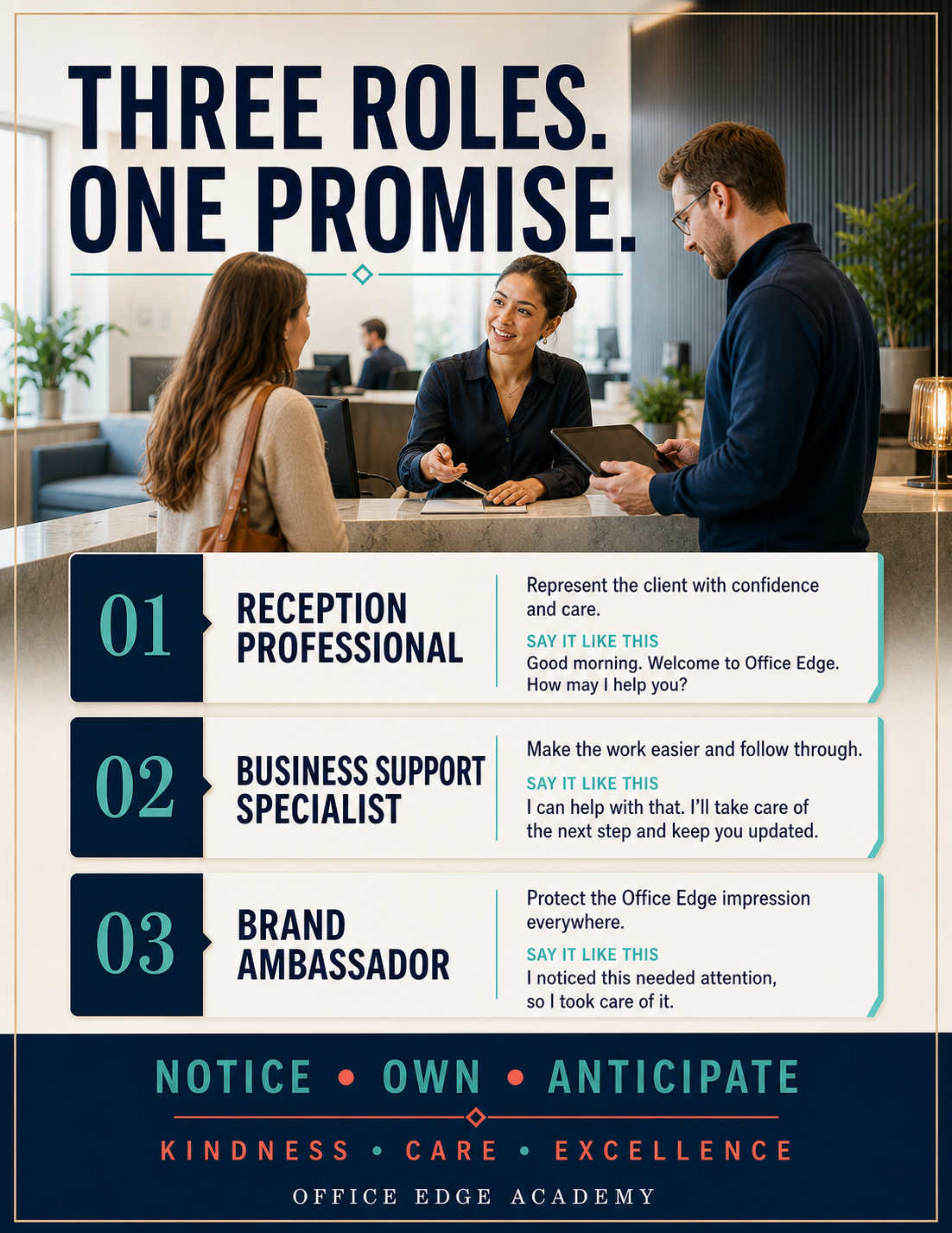
Remember the three roles and the promise to notice, own, and anticipate the next helpful step.
At-the-desk guidance
Find the situation. Use the words. Take the next step.
Memory songs
Listen here for a quick refresher, or open the matching lesson to practice the full standard.
Remember the three roles and the promise to notice, own, and anticipate the next helpful step.
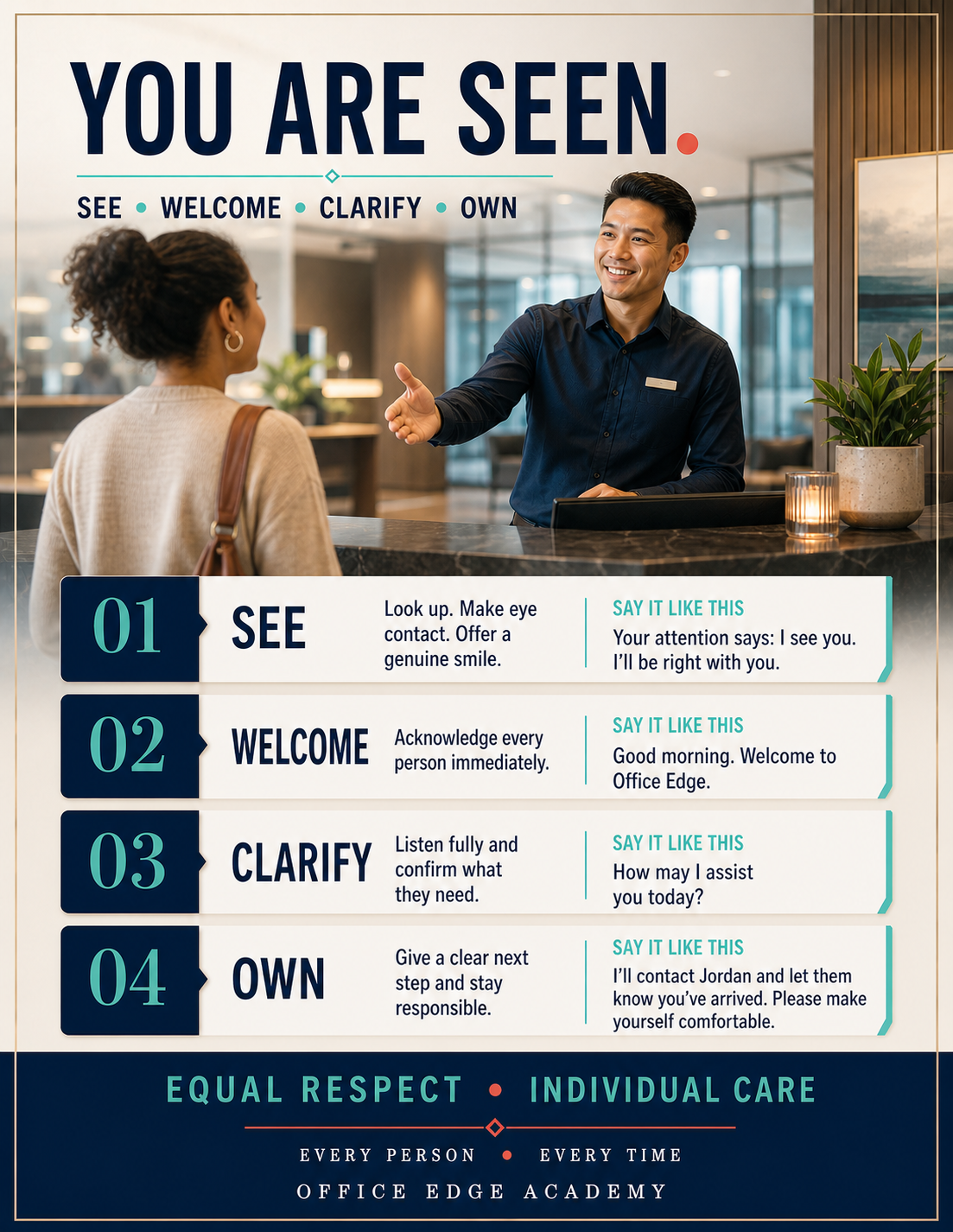
Keep the arrival sequence close: see, welcome, clarify, and own the next step.
Review the five phone moves: welcome, understand, protect, connect, and close.
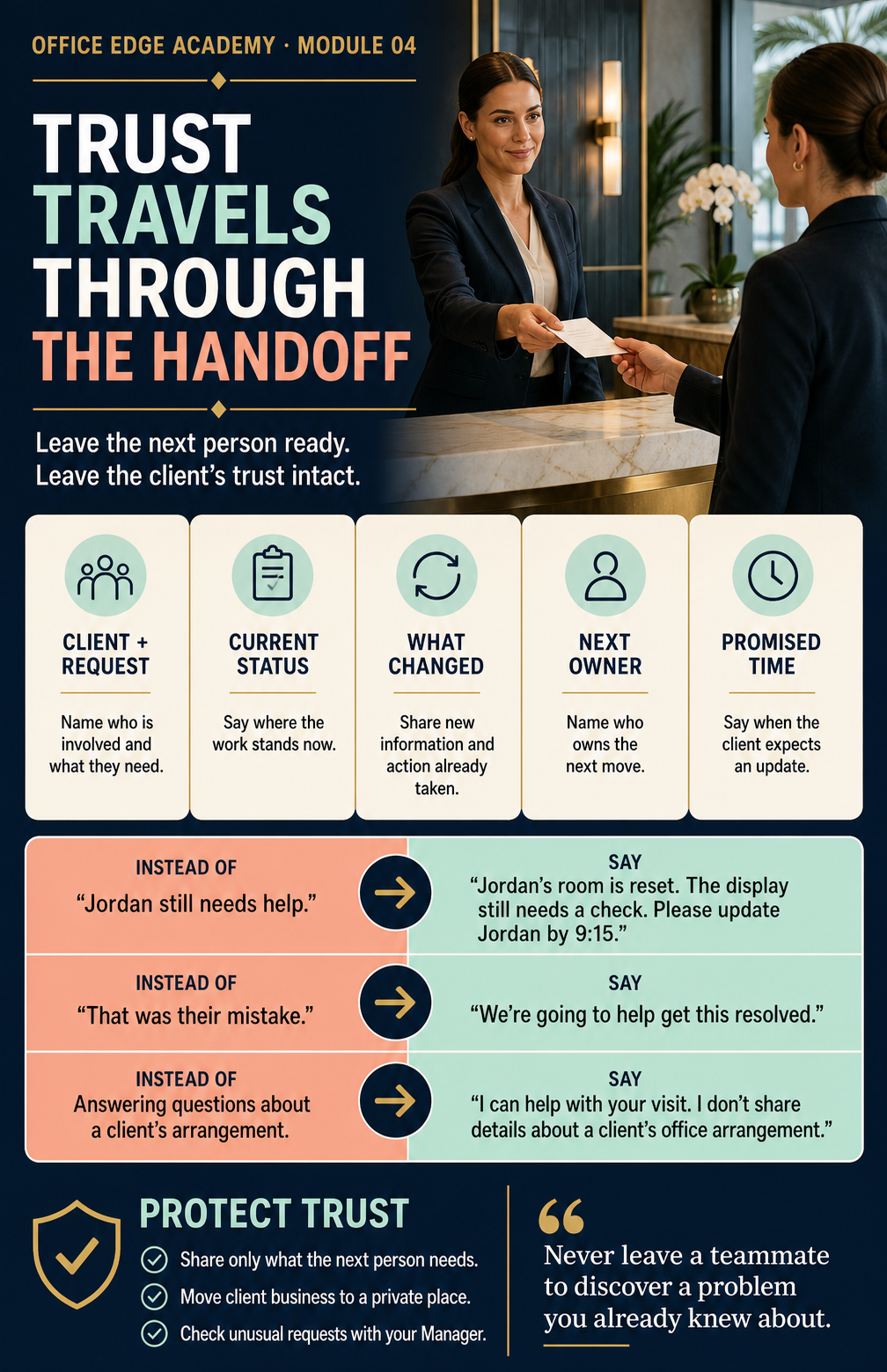
Make complete handoffs while protecting private information and client trust.
Move through opening, coverage, mail, packages, room checks, and closing with calm.
Practice the five LEARN moves and know when to bring in your Manager.
Recognize interest and prepare a warm handoff without trying to sell.
Bring real examples, ask for specific feedback, and choose the next behavior to practice.
When to use thisSomething went wrong, and you need to decide whether to handle it or call your Manager.
| Situation | Handle |
|---|---|
| Room not set up correctly | Solo |
| AV equipment malfunction | Solo |
| Guest arrived, no meeting on file | Solo |
| Package misdirected | Solo |
| Billing dispute or invoice question | Manager |
| Client requesting a credit or refund | Manager |
| Highly upset or escalating client | Manager |
| Service failure during an active meeting | Both — you act, Manager follows |
When to use thisYou know what to do on a call but need the exact words.
| Instead of | Say |
|---|---|
| “Hold please” | “May I place you on hold for one moment?” |
| “What’s your name?” | “May I please have your name?” |
| “What’s this about?” | “May I ask the purpose of your call?” |
| “She’s not in” / “No one is in the office” | “I do apologize — she isn’t available at the moment. May I take a message, or would you prefer voicemail?” |
| “He’ll call back ASAP” | “Mr. [Name] will return your call as soon as he is able.” |
| “Yeah” / “Sure” / “One sec” | “Yes, certainly.” / “One moment, please.” |
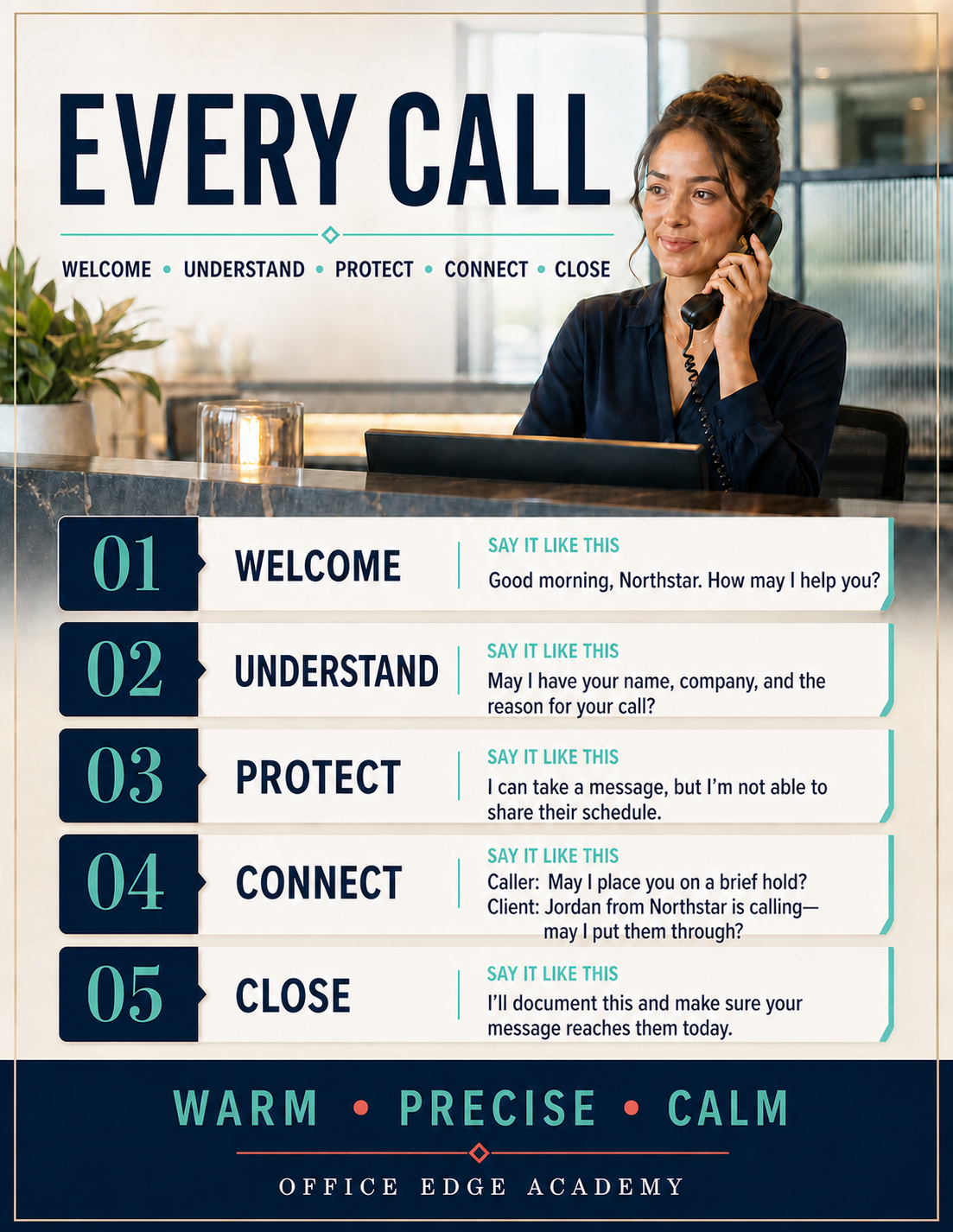
When to use thisYou need the five phone steps and example language beside you at the desk.
When to use thisAn abbreviation or workplace term is unfamiliar.
When to use thisYou need the module’s one-page standard beside you at the desk.
When to use thisYou need the module’s one-page standard beside you at the desk.
When to use thisYou need the module’s one-page standard beside you at the desk.
When to use thisYou need the module’s one-page standard beside you at the desk.
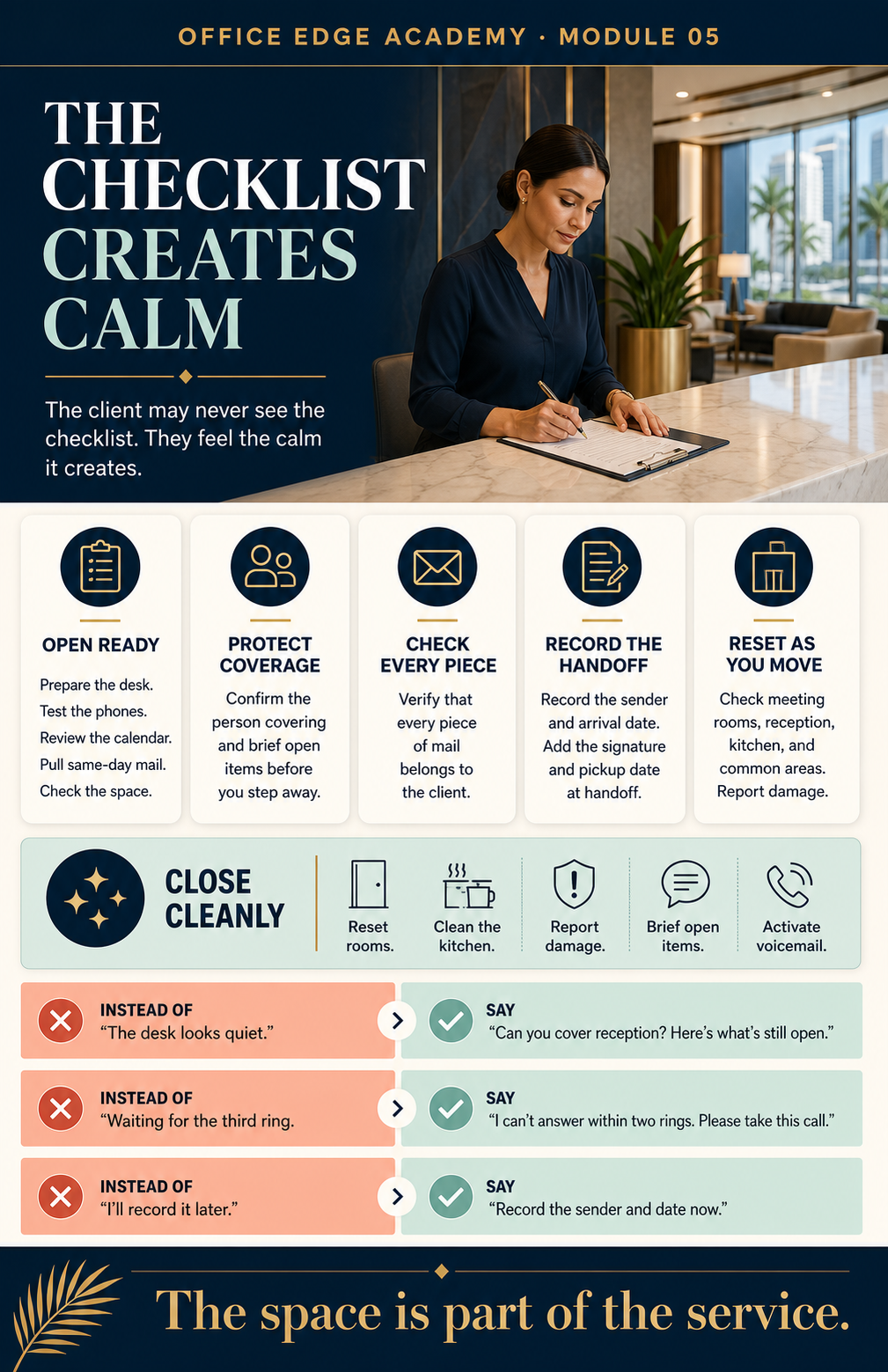
When to use thisYou need the module’s one-page standard beside you at the desk.
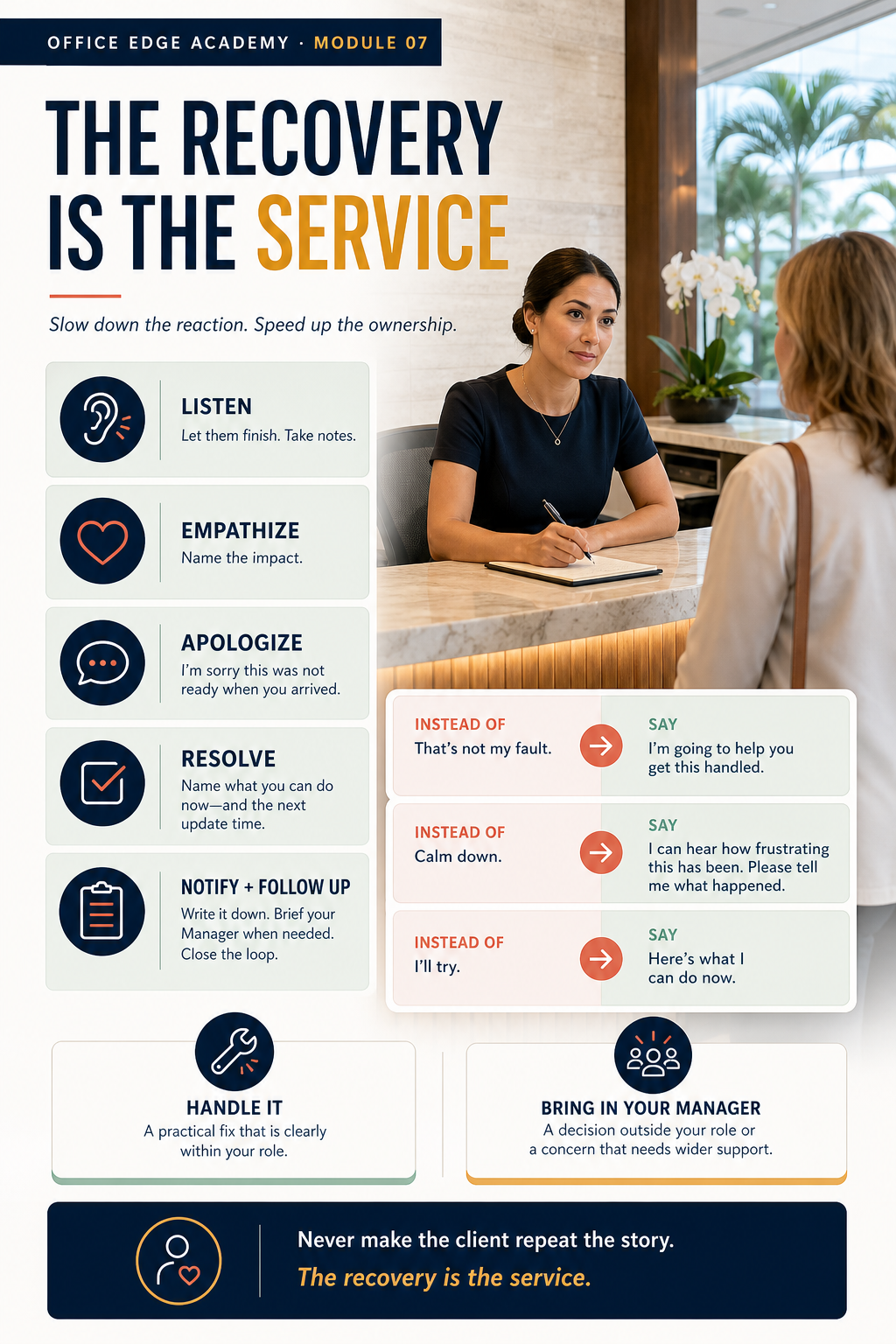
When to use thisYou need the module’s one-page standard beside you at the desk.
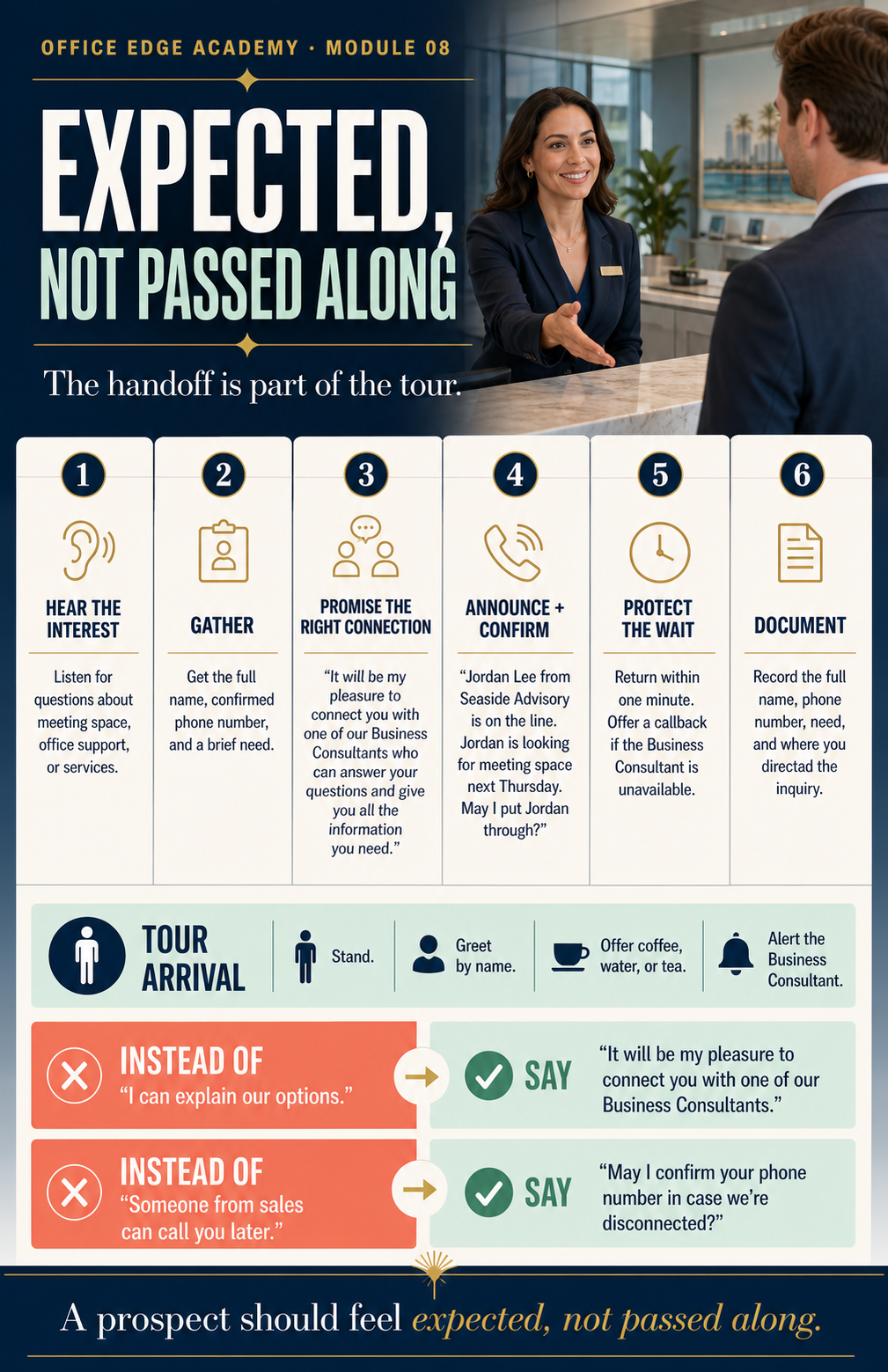
When to use thisYou need the module’s one-page standard beside you at the desk.
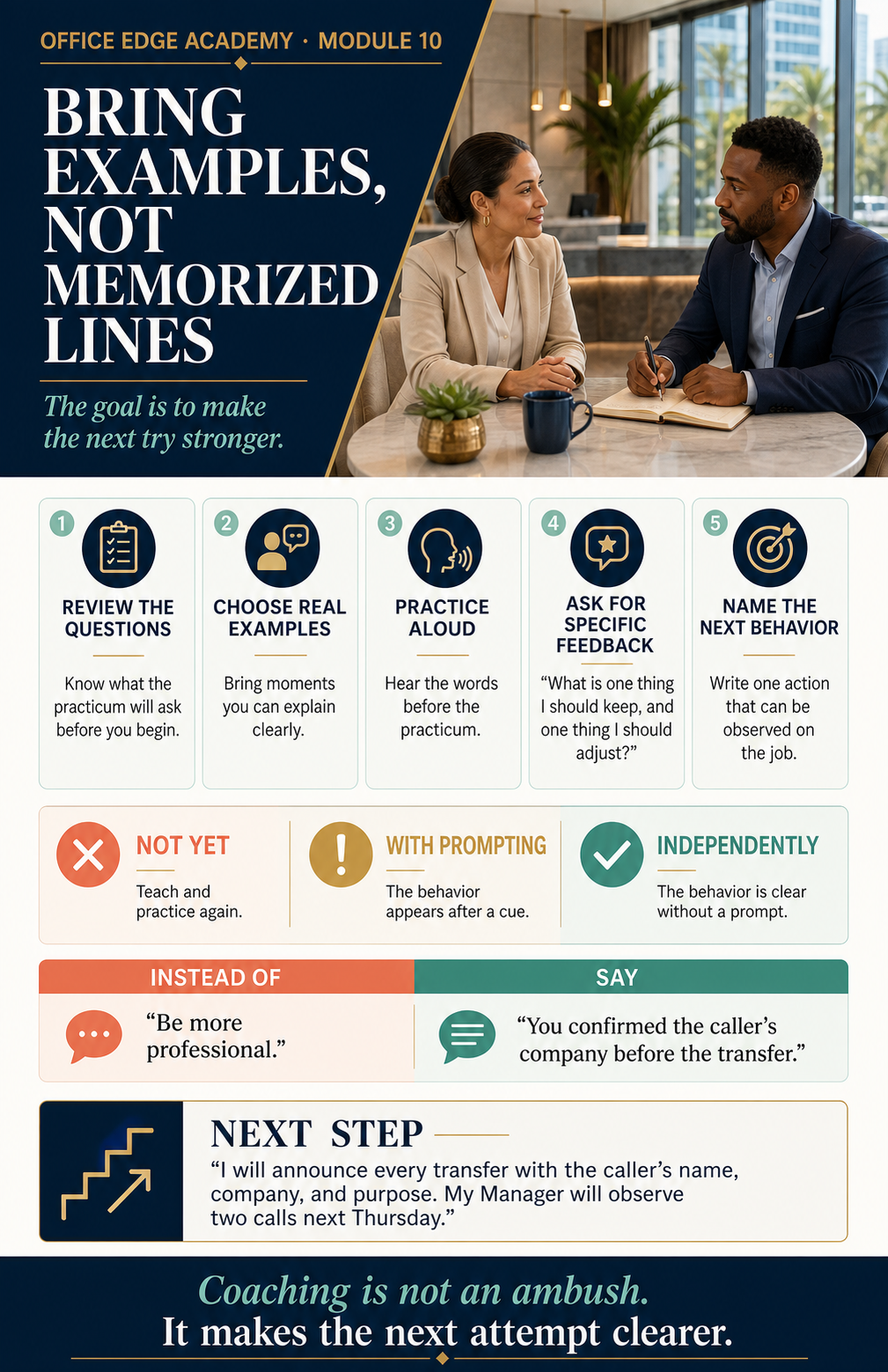
When to use thisYou need to decide which of your three roles comes first.
A visitor arrives for a client. “Good morning. Welcome to Office Edge. Who are you meeting with today?”
A client needs copying, shipping, scheduling, or document help. “I’d be happy to help. When do you need it completed?”
You notice that reception needs attention. Straighten it now so the next arrival enters a polished, professional space.
Waiting to be asked when the helpful next step is already clear
Name the helpful next step and take it.
One situation may need more than one role. Start with the most urgent need, then finish the rest.
When to use thisA client or guest enters, even while you are finishing a call.
Say this“Good morning. Welcome to Office Edge. How may I assist you today?”
Guessing a visitor’s role or purpose from appearance
Welcome the person, then ask how you can help.
If you are on a call, acknowledge the arrival with eye contact, a smile, and a clear signal that you will be right with them.
When to use thisYou are answering a call for a client company.
Say this“Good [morning/afternoon], [Client Company Name]. This is [Your Name] — how may I assist you?”
Rushing the company name or sounding like a recording
Pause after the company name and speak at a natural pace.
Before transferring, open the client’s EVO screen and read the current instructions. Never rely on memory.
A strong greeting has a simple structure: time of day, client company, your name, and an offer to help. Here is a fictional example. Good morning. Baxter Legal. This is Maya. How may I assist you?
When to use thisYou need to learn enough before transferring the call, taking a message, or offering other help.
Say this“May I please have your name? And the name of your company? May I please ask the purpose of your call?”
“Who is this?”
“May I please have your name? And the name of your company?”
Follow the client’s current EVO instructions for screening and call handling.
Screening is not a barrier. It is how you understand the request well enough to help. Gather the caller’s name, company, and purpose in a courteous sequence. May I please have your name? And the name of your company? May I ask the purpose of your call?
When to use thisYou need to check availability or answer another line.
Say this“May I place you on hold for one moment while I check on [Name]’s availability?”
“Hold please.”
“May I place you on hold for one moment while I check on [Name]’s availability?”
If the client is unavailable, follow the client’s instructions and offer to take a message or connect the caller to voicemail.
If you need time to check availability or answer another line, ask before placing the caller on hold. You might say, May I place you on hold for one moment while I check on Jordan’s availability? Then wait for the answer. That brief permission keeps the caller involved instead of making them feel discarded.
When to use thisYou have screened the caller and are ready to connect the call.
Say this“I have [Caller Name] from [Company] for you — may I put them through?”
Transferring without warning
Tell the caller, brief the client privately, and wait for confirmation.
If the client does not accept the call, return to the caller and offer a message or voicemail according to the client’s instructions.
A good transfer should never surprise either person. First, tell the caller what you are doing. Then contact the client privately and provide the useful context you already gathered. A fictional example would be, I have Jordan from Northstar for you. May I put them through?
When to use thisThe client cannot take the call, and you need to offer a message or voicemail.
Say this“I do apologize — [Mr./Ms. Name] is not available at the moment. May I take a message, or would you prefer voicemail?”
Sharing where the client is or why they are unavailable
“I do apologize — [Mr./Ms. Name] is not available at the moment. May I take a message, or would you prefer voicemail?”
For an Office Edge client asking for a Manager, offer to assist first and follow the approved Manager-notification procedure.
When to use thisAnother line rings while you are already helping a caller.
Say this“May I place you on hold for one moment while I answer another line?”
Dropping one caller to make the next phone stop ringing
Screen briefly, ask permission to hold, and wait for the answer.
Repeat the same sequence for each new line: greet, identify, screen briefly, ask permission, and wait for the answer.
Picture this fictional situation. You are confirming one caller’s purpose when a second line rings. The standard is not to drop the first caller or ignore the second. Briefly complete the screen, ask the first caller for permission to hold, and then answer the next line. Bring that sequence to the decision practice now. Calm is not moving slowly. Calm is knowing what comes next.
When to use thisA client is upset, reports a mistake, or says the service fell short.
Let the client finish completely. Listen without interrupting, explaining, or defending—even with good intentions. Take notes while they talk.
Acknowledge the impact before you say anything else. Empathy isn’t agreement, and it isn’t admitting fault.
“I completely understand how frustrating this must be.”
Keep the apology genuine, brief, and specific.
“I sincerely apologize. This should not have happened, and I’ll make it right.”
“I’m sorry you feel that way.”
“I’m sorry this happened. I understand the impact it had.”
“I apologize, but…”
“I sincerely apologize. This should not have happened, and I’ll make it right.”
Name the action you’ll take and when the client will hear from you. Instead of “I’ll look into it,” say, “I’ll take this action now and update you by [time].” Bring in your Manager right away when the next step is beyond your role.
Check back with the client yourself. Stay with the issue until the client confirms the next step is complete. Write down what happened and tell your Manager so the team can prevent a repeat.
“That’s not my fault,” “That’s our policy,” “Calm down,” or “I’ll try.”
Use the LEARN steps above. Name the action you can take now, or bring in your Manager.
When a Manager is needed: “I want to make sure this is handled correctly. I am bringing in my Manager right now so we can resolve this for you immediately.” Brief the Manager privately so the client does not repeat the story.